


Everyone uses agents. How do we know? It’s like the old joke: “How do you know if someone went to Harvard? Don’t worry, they’ll tell you.” You can rest assured that anyone who’s used an agent is posting about it, including—obviously—me.1 And if they haven’t? Well, they’re on LinkedIn pretending they have.
Despite all that, I don’t think any of us really agree on what an agent is. Not yet, anyway.
The term “agent” has become a catch-all for anything people do with AI. When a person says “I had my agent make my presentation”, “I replaced my marketing team with agents” or “I have an SDR agent that does all my outbound”, it’s very hard to know what that really means. Are they typing in a ChatGPT window? Using an internal web app? Talking to Slack bots? Organizing their Grok Bots?
I think what everyone ultimately envisions when they think of an agent is an intelligent autonomous entity that’s doing meaningful work on its own. That’s the sci-fi dream we’ve been sold. We’re not there yet. Instead, we have a lot of chat boxes and confusion.
Quick aside: I’m not interested in coding agents here—those have a pretty settled definition. I’m most interested in how GTM folks, in particular, use agents to get their jobs done.
For example, when Jason Lemkin at SaaStr talks about their “agents” he usually seems to mean apps they’ve built with Replit that have AI baked in. For a lot of other people, it could mean anything from chatting with ChatGPT in their web browser to running Claude Code in the terminal to workflows that get triggered on n8n.
For GTM, this is more than just semantics. Everyone wants “agents” to make their teams more efficient. You can’t do that if everyone uses the same word to mean different things. Try building “agents” when the CRO uses “agent” to mean an internal web application with a chat box, the CFO means using those Claude Cowork licenses they paid for, and the reps mean a bot in Slack. It won’t go well.
Below I’ll look at what people actually mean when they talk about using their agents. Then I’ll turn to some key design decisions you need to make when building agents for your team, and how those decisions can help your agents achieve greater autonomy.
What people mean when they talk about agents
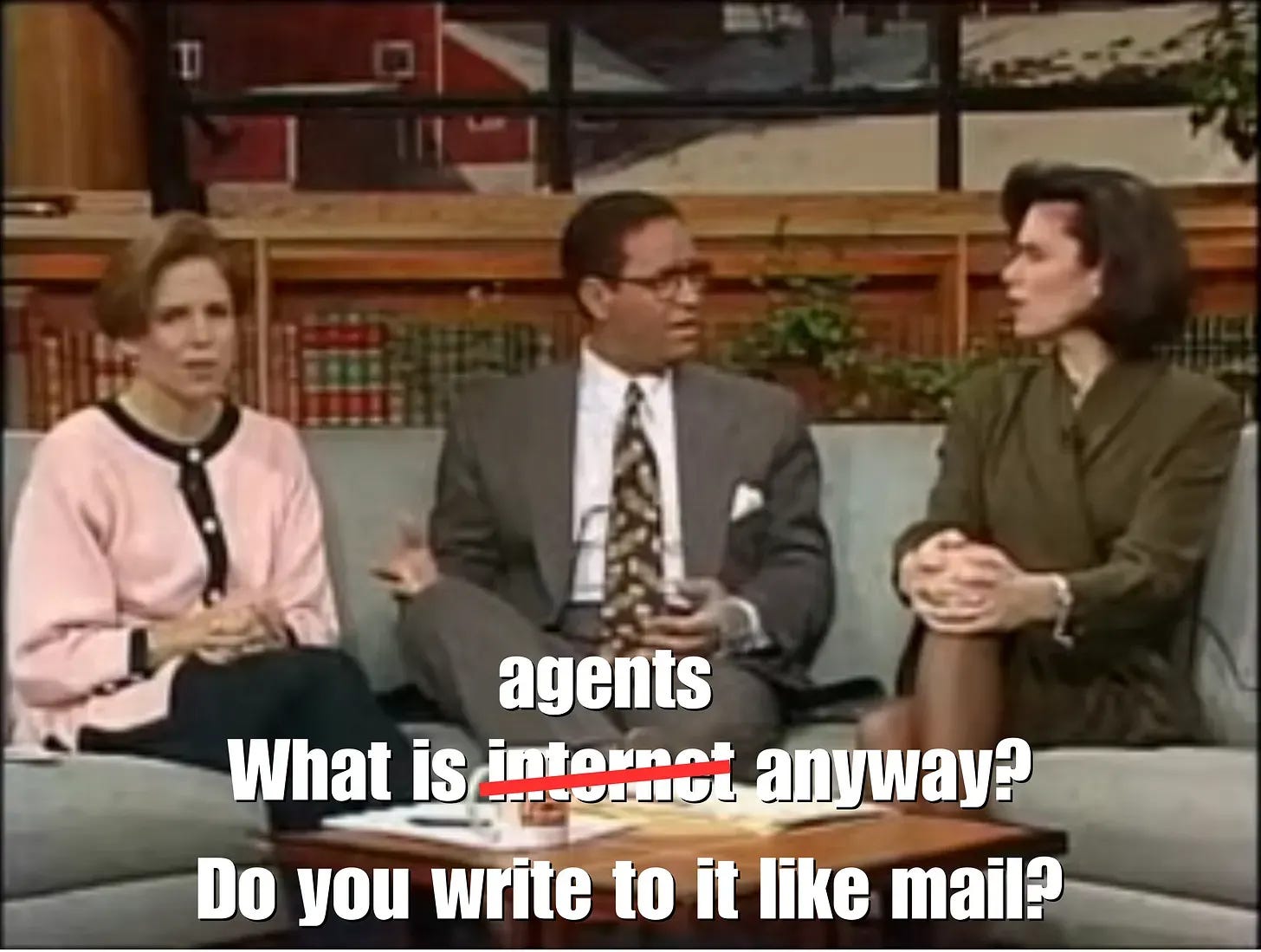
To learn what people actually mean when they talk about agents, some of my Agent Deployment Company colleagues and I asked on LinkedIn and in some private Slacks. We ended up getting detailed feedback from 15+ people—not a huge sample, but enough for patterns to emerge.
It was actually hard to frame the question to get to specifics. The first couple of responses were pretty generic agent definition stuff. Oddly, two people sent me this Anthropic post from way back in 2024.
Eventually I narrowed my questions down to asking about the tools, harnesses and channels people use to execute and access their agents. Here are a few excerpts (names removed to protect the innocent):
“for me, the simplest possible. So that is often a Claude project, but for some stuff it might involve n8n.” — VP of Marketing
“Most of my current work is in Claude desktop or Claude Code terminals. I use Gemini in Google search a few times/week.” — Founder
“I use Warp for terminal, claude desktop (all 3 modalities), codex app, chatgpt chat, telegram & slack for openclaw/hermes. Email as well of course. Sometimes I use claude code on mobile when I remember to switch on remote. I also use a Mac mini for some tasks which I want always on but find the smooth transition between laptop and mac mini to still be wanting.” — GTM AI Advisor
“…my interfaces are Claude Code CLI, Codex desktop app, ChatGPT Mobile app for iPhone/iPad, Grokbot, Telegram, Slack, iMessage. I can engage with any of the 120 agents I have” — EVP in a GTM role
“My ‘work’ is Claude code via VS for ad hoc agents or I might invoke an agent via a Slack app that calls on a specific agent. Autonomous agents just do the job they are built to do. All built in house.” — CRO
Overall, people seem to agree on two things:
An agent plans and executes a set of tasks beyond just generating a response. Typing “What is the capital of Alaska?” into ChatGPT and getting an answer from memory isn’t really “agentic”, but asking Cowork to “Research the history of all 50 state capitals and make a slide deck” definitely is.2
ChatGPT and Claude in their various incarnations are definitely agents.
The hoped-for autonomy only showed up briefly. Beyond that, the ways that people operate and interact with these agents are all over the place. There’s no settled method for actually designing agents besides the ubiquitous single-user chat window.
It’s that ambiguity which means any agentic project risks delivering the wrong thing unless you first get precise about the agent’s design.
5 dimensions of agent design
There are a million resources out there that talk about agent architecture. (Including mine.) You’ll see plenty of diagrams and discussions of skills, tools and memory. Those are raw capabilities—not how those capabilities actually work day-in and day-out. As Steve Jobs famously said, “Design is how it works.”
So, when your GTM team wants to “build an agent”, it’s worth taking a step back and making sure you’re designing something that actually works for your team. There are a lot of factors to consider, but I believe there are 5 key design dimensions that everyone needs to agree on:
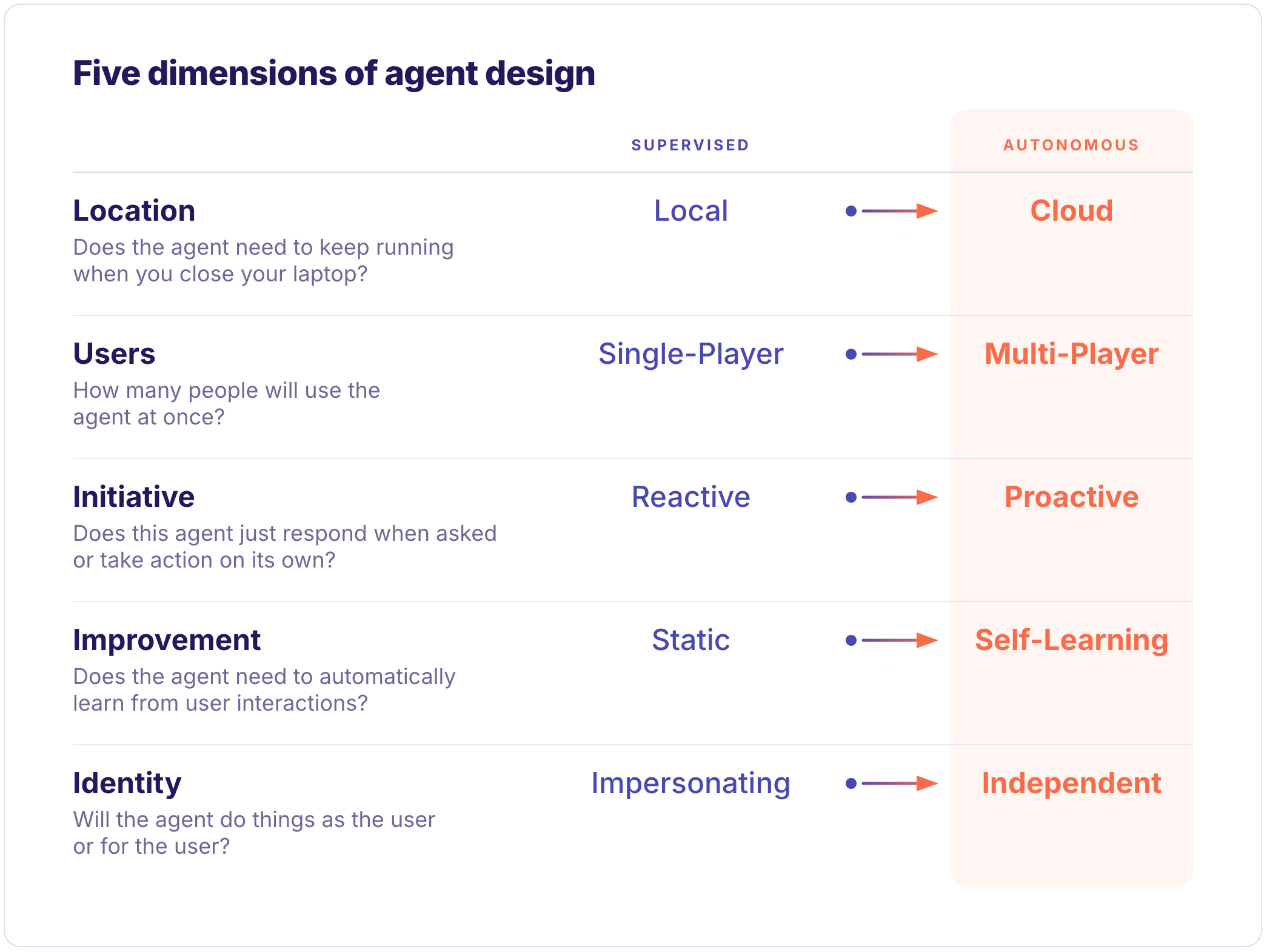
The dimensions run from a “supervised” choice, meaning more human-in-the-loop, to a more autonomous choice that can operate on its own. I think we all envision our agents being autonomous—having to devote less human time to a task is kind of the point—but as you’ll see below, the autonomous choice is often much harder than the supervised choice.
Let’s dig into each one.
Location: local vs cloud
A local agent runs on a user’s computer with access to their files and programs. This is convenient because the agent can do things as that user (see Identity below), like edit local files and use their web browser. However, the big problem is availability: everything stops when the user’s computer is off or loses internet access. It’s also hard to access local agents if you’re not sitting at your computer. Claude Code and Codex are emphatically local.
Many people try to mitigate the availability and access problem by running local agents on a Mac Mini3 sitting under a desk somewhere. This is appealing because these can be mostly always on and, with the right VPN setup, mostly accessible remotely while still working like a user’s regular desktop. It’s not all Mac Minis; some of the harnesses try to solve the remote accessibility problem with tools like Claude’s remote control.
Cloud agents, on the other hand, are more like SaaS software. They’re designed to run on remote servers with high availability and be accessible from anywhere. The tradeoff is much more complex configuration and identity management. A cloud agent, for example, can’t simply run an individual user’s browser on their behalf. With enough DevOps know-how, you can set up agents in the cloud using existing harnesses. Or you can use offerings from Anthropic, Cursor, Glean, Dust, Cloudflare, Salesforce, or many others to build cloud agents.
Like everything in AI, there are features that blur the line between local and cloud. Claude Code, for example, offers ways to access local sessions remotely.
One of the biggest challenges in agent development, in my opinion, is getting an agent working on your local Claude Code/Codex/etc. and then being unable to run it anywhere besides your laptop. You can see that in the comments above: everyone using Claude Code or Codex is inherently using a local agent. They may have a few different ways to talk to it, but when they accidentally close their laptop, that agent is down for the count.
Users: single-player vs multi-player
Most agents today are single-player. When you’re talking to the agent, no one else is with you talking to it at the same time. If you make a change to how the agent works, you don’t worry much about whether that’s going to impact someone else.
Multi-player agents, on the other hand, are meant to be used by multiple people. This means someone needs to configure and maintain the agent so it can be accessed by multiple people. There are two distinct access modes, however. Think of it as DMs vs threads:
Multiple people could be DMing the agent at one time, each having their own isolated conversation. In agent terms, each has their own session. The agent may be the same, but each conversation is separate.
With threads, multiple people can jump into the same conversation with an agent. Participant A could ask for something and Participant B could contradict the request. Participant C could be another agent. This is incredibly powerful but also incredibly complex.
Multi-player agents are almost always also cloud-based.4 While it’s possible for local agents to be multi-player, it’s not a great idea. If someone besides you is talking to your agent remotely, that’s giving them an incredible level of control over your local machine.
Almost no one we talked to was doing multi-player (especially not type 2) in any meaningful way. Personally, I think this is the future. At Gradient Works, we’ve been experimenting with a multi-player setup in Slack provided by The Agent Deployment Company.5 It’s still early, but there’s something wild about seeing bots and humans interact in a natural way within threads.
Initiative: reactive vs proactive
Most agent interaction is reactive. You type something in a chat window, maybe have a little back and forth with the model and then the agent goes off and does a bunch of stuff. After minutes or hours it comes back and tells you it’s done.
Proactive agents don’t have to be complicated. The easiest way to make an agent proactive is to use some kind of mechanism to send a prompt to the agent on a schedule. From there it can decide how to proceed. Claude and ChatGPT both have their forms of scheduled tasks.
One thing to note is that scheduled tasks on local agents will only happen if that local computer is up and running when the task is supposed to fire. That’s a point in the cloud agent column.
Improvement: static vs self-learning
One of the biggest misconceptions about agents is that they automatically learn and improve through usage. In most cases, they simply don’t. They may improve throughout the course of a session as they gain context on a particular task. But as soon as you start a new chat, they’re right back to where they were unless you carefully manage what gets saved.
In short, most agents are fairly static. They only get better when you explicitly give them new information or instructions to keep in their context.
If you want your agents to get better with use, you need to build that. There are plenty of tools out there like Mem0, Agent Memory and about a billion others—none of which are very approachable to non-developers. That said, all the harnesses are trying to get better about solving this problem. Claude is working on shared memory. Alternative harnesses like OpenClaw and Hermes take a much more active role in learning as you go.
Note that this kind of learning gets much more complex in multi-player setups because you have to answer complex questions not only about what to retain, but also which users to learn from.
Identity: impersonating vs independent
This one can be a little complex to wrap your head around, so here’s a concrete example. Imagine an agent that’s designed to update CRM fields from call transcripts.
Jane Rep gets off a call and says “Hey, Salesbot 3000, go update my opp based on what we just learned.” Once the agent’s done, does the “Last Updated By” field in your CRM record say “Jane Rep” or “Salesbot 3000”?
If it says “Jane Rep”, then the agent is doing things as Jane—it’s using her credentials and permissions to impersonate Jane and update the CRM as if she typed it in herself. If it says “Salesbot 3000”, then the agent has its own independent identity, credentials and permissions. It’s just updating Jane’s opp on her behalf because she asked it to.
The most common type of agent—local, single-player—usually uses impersonation. Multi-player agents have hard choices to make. Do they operate with an independent identity or do they do things as the user who’s using them? The Claude team wrote recently about how they adopted a hybrid approach with Claude Tag where Claude uses an independent identity in public channels and impersonation in DMs.
Wrapping up
Everyone is using agents. Everyone wants more agents. Despite that, not all “agents” are created equal.
Most of the tools people call agents today have been built in Claude or ChatGPT/Codex. They usually run locally and are almost always single-player, reactive, largely static and access external systems by impersonating their user. They’re powerful, but they tend to be heavily supervised.
As your team continues to build agents, use the design dimensions above to help clarify what your team actually wants from an agent. Where possible, try to push a couple of dimensions towards more autonomy. The tradeoffs may be complex, but the resulting agents will be far more powerful.
Yes, I do appreciate the irony here. Thanks for asking.
Do your own homework, kids.
Again, I’m ignoring coding agents here. Many people run coding agents in swarms that coordinate with each other, whether locally or remotely.
Full disclosure: I’m involved with both companies.